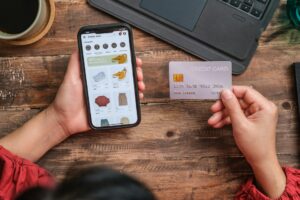
Spring is a great time to clean up the messy parts of how your brand gets used across locations. If you are tired of random swag, off-brand flyers, and last-minute orders, an online company store can pull everything into one simple system. It gives every office, branch, or remote employee an easy way to get what they need, while you keep control of branding, budget, and stock.
In this guide, we will walk through how to launch and manage online company stores for multi-location teams. We will cover approvals, budget controls, inventory, kitting, and a basic launch plan, so you can support HR, sales, and marketing without losing your sanity.
Turn Distributed Teams Into a Unified Brand Experience
When different locations order on their own, things get messy fast. Logos drift off-brand. Colors change. People grab whatever vendor can ship the fastest. Costs creep up because every order is a one-off rush.
An online company store flips that story. Instead of everyone doing their own thing, you have one central hub where people can:
- Order approved print materials, apparel, and promo items
- Pick from designs that already match your brand
- Get items shipped directly to their location or home
Spring is the perfect reset point. Marketing and HR teams are planning for summer events, trade shows, and new hires. Cleaning up your ordering process now means you are ready when requests start flying in.
At BRIDGE Printing & Promotional Products, Inc., we build and manage online company stores for teams spread across offices, states, and home setups. Our focus is print, custom apparel, promo products, and fulfillment, all tied together in one easy system.
Why Multi-Location Brands Need an Online Company Store
The biggest win of online company stores is control without constant babysitting. Instead of chasing people about the right logo file, you give them a clean catalog that already has what they need.
You get one source of truth for brand assets:
- Centralized catalog of approved print, apparel, and promo
- Fewer random vendors and one-off designs
- Less risk of outdated or off-brand materials showing up in the wild
You also gain real visibility into spend. When all orders flow through one store, finance and marketing can see:
- Who is ordering, what they are ordering, and how often
- Trends by region, department, or user group
- Which items should become staples, and which should be retired
Online company stores also support HR, sales, and marketing at scale. HR can quickly send onboarding kits to new hires in any location. Sales and field teams can grab brochures, sample packs, and giveaways on their own, without waiting for someone at HQ to approve every small order.
Designing the Right Store Structure for Multiple Locations
Before you turn a store on, you need the right structure. This is where you decide what people see, what they can order, and how much flexibility they have.
First, think about your catalog strategy. Many multi-location brands choose:
- One universal catalog for basic brand items
- Segmented sections by location, department, or role
- Core staples that are always available, like business cards and polos
- Seasonal or campaign items for trade shows, summer events, or end-of-year gifts
Next, match store access to your org chart. Typical user roles include:
- Store admins at HQ
- Location managers or franchise owners
- General employees or contractors
You can control:
- Which products each group can see
- Who can view pricing
- Who can place direct orders and who must submit requests
Finally, plan locations and shipping rules. Map out:
- Physical offices, retail sites, and warehouses
- Remote workers who need home delivery
- Standard vs expedited shipping options
- Which items can be drop-shipped and which are fulfilled from a central warehouse, such as a BRIDGE Printing facility
Building Smart Approval Workflows and Budget Controls
If you skip approval rules, your store can turn into a free-for-all. The good news is, you can set clear controls without slowing everything down.
Start by defining who approves what. For example:
- Region leaders might approve large orders
- Department heads might approve custom items
- Certain product types, like high-end gifts, might always need approval
Then, tie those rules to automatic workflows. Approvals can trigger based on:
- Total order value
- Quantity ordered
- Product category, such as apparel vs print vs promo
Budget controls are just as important. Many multi-location brands set:
- Budgets by location, team, or campaign
- Limits tied to user groups, like managers vs regular staff
- Funding methods, such as cost centers, location budgets, corporate cards, or coupon codes for special programs like new hire kits
To avoid bottlenecks, give local managers some freedom. Pre-approved, quick-order items with a set budget range let them meet daily needs fast. Automated emails or alerts help approvers move faster, so no one is stuck waiting for swag right before a big conference or community event.
Inventory, Kitting, and Fulfillment for Distributed Teams
Good inventory planning is what makes online company stores feel smooth instead of slow. You want the right mix of stocked items and print-on-demand.
Stock is best for fast-moving staples:
- Business cards
- Core apparel like polos, tees, or hats
- Everyday promo items like pens, notebooks, or stickers
Print on demand is better for:
- Location-specific materials
- Smaller audience handouts
- Niche items that might change often
Kitting is where a well-built store really shines. You can build ready-to-go kits like:
- New hire welcome boxes
- Event bundles for trade shows or job fairs
- Recognition kits for anniversaries or awards
Inside the store, those kits show up as a single product. Users select sizes or small options, like department inserts or location name, but the main pieces stay controlled. That keeps things consistent and simple.
A strong fulfillment partner handles the rest. With BRIDGE Printing, that can include storage, pick/pack, and shipping out to locations across the country. Inventory tracking and alerts help you know when to restock, retire old items, or plan your next seasonal campaign.
Launch Timeline, Training, and Long-Term Optimization
A smooth launch starts with a clear roadmap. For most multi-location teams, a 60- to 90-day plan works well. Key steps usually include:
- Selecting products and finalizing branding
- Setting up store structure, user roles, and approval rules
- Configuring shipping options and locations
- Testing workflows and running a soft launch with a pilot group
Time your full launch around events that matter to your team. A Q2 sales meeting, summer hiring push, or upcoming trade show series can all be great anchors. When people already need items, they are much more likely to try the new system.
Training drives adoption. Short how-to videos or quick sessions for managers help a lot. You can also:
- Share step-by-step guides with screenshots
- Highlight a few “hero products” like new kits or seasonal swag
- Offer small internal incentives to encourage first orders
Once the store is live, the real work is steady tuning. Every quarter, review:
- Top products and slow movers
- Feedback from managers and end users
- Seasonal patterns that affect stock and lead times
Work with a partner like BRIDGE Printing & Promotional Products, Inc. to refresh catalogs, add new seasonal options, and streamline categories that are not getting much use. With the right structure and support, your online company store becomes the steady backbone behind every location, every event, and every new team member.
Get Started With Your Project Today
If you are ready to simplify how your team orders branded materials, we can help you launch custom online company stores tailored to your organization. At BRIDGE® Printing & Promotional Products, Inc., we work with you to centralize products, control branding, and streamline approvals. Tell us what you need, and we will guide you through setup, customization, and rollout to your users. Have questions or a unique requirement in mind? Just contact us so we can talk through the best approach for your program.